

Best Freelancing Tools for Beginners
One of the most popular and easily accessible ways of working online and establishing an independent career path is through freelancing. In various parts of the world, including Asia, Europe, and across the United States of America and other countries, thousands of new freelancing beginners are entering the world of online freelancing every day and working online to earn and develop their professional skills and work with clients from all around the world.
But working on freelancing without proper tools and getting confused and disorganized may cause difficulties and problems in meeting deadlines and working effectively and efficiently. All professional freelancers use various tools and techniques that help them work effectively and efficiently and deliver quality work.
This guide will introduce beginners and new freelancers to some of the most popular and easily accessible freelancing tools that are being used across the world in 2026.
Why Freelancing Tools Matter for Beginners
When beginners start their freelancing career, they mostly focus on learning skills such as writing, graphic design, programming, or digital marketing. Although skills are crucial, working professionally is just as important.
Freelancing tools help you:
- Stay organized
- Track deadlines
- Communicate professionally
- Deliver work safely
- Boost productivity
Using professional tools from the start will give you a great professional impression and open doors to greater success in the future.
How to Choose the Right Freelancing Tools
Beginners should consider:
- Skill level: Writing, design, coding
- Tool compatibility: Windows, Mac, Mobile
- Budget: Free vs Paid
- Example: Writers → Google Docs + Trello + Clockify
Designers → Canva/Figma + Notion
Communication Tools for Client Interaction
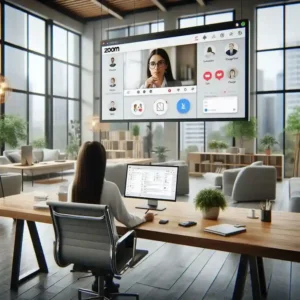
Clear communication is one of the most important aspects of freelancing. Clients prefer freelancers who respond professionally and maintain consistent communication throughout a project.
Recommended Tools:
- Zoom: Video calls, client meetings, project discussions
- Google Meet: Simple and reliable for quick calls
- Slack: Team communication, long-term collaborations
A stable internet connection, proper microphone quality, and timely responses can significantly improve client trust.
How Freelancing Tools Help Build a Professional Reputation
Freelance tools aren’t only useful for task management; they also contribute to your personal brand. Using tools like Zoom to hold meetings with clients, Slack to communicate with clients, and Google Drive to share files with clients shows that you’re an organized person who is reliable. It’s more likely that clients will trust someone who looks professional, meets deadlines, and communicates well.
Project Management Tools to Stay Organized
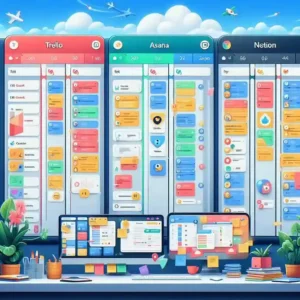
It is not easy to handle several assignments without proper organization, and this can soon become overwhelming. This is where project management tools come in to help freelancers manage their tasks and deadlines effectively.
Best Options for Beginners:
- Trello: It is easy to organize tasks and projects using Trello due to its simple drag-and-drop functionality.
- Asana: This tool is great for managing projects and tasks in an ordered manner.
- Notion: This tool is great, as it incorporates features such as notes, task management, and project management in one tool.
These platforms allow freelancers to manage daily work without losing focus or missing important milestones.
Beginner-Friendly Workflow Example

To understand how tools can work together, here’s a simple example of a beginner freelancer’s day:
- Morning: Check emails and client messages.
- Planning: Organize tasks in Trello or Notion.
- Focused Work: Use Pomofocus to work in uninterrupted sessions.
- Client Communication: Conduct Zoom or Google Meet calls.
- Deliverables: Upload files securely via Google Drive or Dropbox.
- Time Tracking: Record hours worked in Clockify or Toggl Track.
This workflow helps beginners stay organized, meet deadlines, and appear professional to clients.
Time Tracking and Productivity Tools
One of the biggest challenges freelancers face is managing time effectively while working from home. Without structure, productivity can decline.
Helpful Productivity Tools:
- Toggl Track—Tracks billable working hours accurately
- Clockify—Free time-tracking solution for beginners
- Pomofocus—Helps maintain focus using timed work sessions
Time tracking not only improves productivity but also ensures fair and transparent client billing.
Tips to Maximize Productivity with Freelancing Tools
It is not just about having the tools; it is about utilizing them in a productive way. Anyone can use a combination of tools for a structured approach. For example, use Trello for planning your tasks for the day, Pomofocus for focusing during work sessions, Clockify for tracking your work hours, and Zoom/Google Meet for client call scheduling. Automating tasks, utilizing templates, and keeping all your tools organized is a great stress-reliever and a key factor for completing tasks in a productive way.
Design and Content Creation Tools
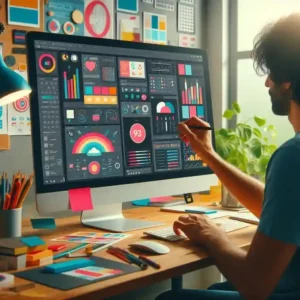
Freelancers who are not necessarily designers may also need to create visuals to be used in presentations, social media content, and marketing materials, among others.
Most Popular Beginner-Friendly Tools:
- Canva—A beginner-friendly tool to create professional-level designs
- Adobe Express—A tool to create designs quickly and efficiently, specifically for digital content creation
- Figma—A popular tool used to create designs, especially UI designs, and collaborate on projects
These tools allow beginners to produce professional-looking visuals without advanced technical expertise.
File Sharing and Cloud Storage Tools

It is important to ensure the secure delivery of files when dealing with international clients. Cloud storage helps to prevent data loss and also makes it easier to collaborate.
Reliable Tools Include:
- Google Drive – Document storage and collaboration
- Dropbox—Best for large files such as projects
- WeTransfer—Fast and secure file transfers without the need to create accounts
Having well-organized folders also adds to professionalism.
Freelancing Platforms to Find Work
Beginners often struggle to find their first clients. Freelancing platforms provide access to global opportunities.
Trusted Platforms:
Building a strong profile and delivering quality work consistently helps freelancers secure long-term clients.
Payment and Financial Management Tools
Making and receiving payments securely is an important aspect of freelancing.
Most Common Payment Options:
- Payoneer—Payment from international clients
- Wise—Low-cost international money transfer
- PayPal—Payment gateway accepted globally by clients
Maintaining proper payment records also helps with financial planning and income tracking.
Common Mistakes Beginners Should Avoid
Many freelancers face early setbacks due to avoidable mistakes:
- Using too many tools at once
- Ignoring communication etiquette
- Missing deadlines due to poor planning
- Not backing up important files
Starting with a simple workflow and improving gradually is often the most effective approach.
Final Thoughts
Freelancing in 2026 provides opportunities to individuals who are ready to learn and work consistently. Skills provide the entrance to freelancing, but tools provide the key to success.
New freelancers should start with communication skills, organization skills, productivity skills, and secure payment skills. By having the right skills and tools, freelancing can progress from an online hobby to a global career.
“Start using these beginner-friendly freelancing tools today to boost your productivity and grow your online career!”
Frequently Asked Questions (FAQs)
1. What are freelancing tools, and why do beginners need them?
Freelancing tools are apps and software that help manage work, communicate with clients, track time, create content, and receive payments. Beginners need them to stay organized, work efficiently, and appear professional to clients.
2. Which freelancing tools are best for beginners in 2026?
Some beginner-friendly tools include Zoom and Google Meet for communication, Trello and Notion for project management, Clockify for time tracking, Canva for design, and Payoneer or Wise for payments.
3. Do I need paid tools to start freelancing?
No. Many freelancing tools offer free plans that are enough for beginners. Paid plans are only necessary as your workload and client requirements increase.
4. How can I manage time effectively as a freelancer?
Using time tracking tools like Toggl Track or Clockify helps monitor work hours, maintain focus, and provide accurate billing to clients.
5. Which platforms help beginners find freelance work?
Popular freelancing platforms include Upwork, Fiverr, Freelancer.com, and PeoplePerHour, which connect freelancers with clients worldwide.
6. How can I send files to clients safely?
Google Drive, Dropbox, and WeTransfer allow freelancers to securely share files, collaborate, and avoid data loss.