Lost $500 to a Freelance Scam. Here’s How to Avoid It.
That fake payment screenshot looked so real. I learned the hard way, so you don’t have to.
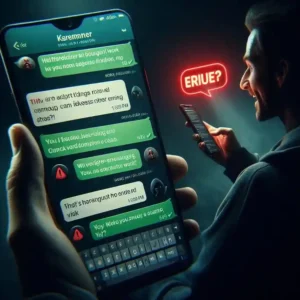
Let me tell you something that still makes me angry.
Two years ago, I got my first “big” freelance client. He messaged me on Upwork. Wanted a logo for his new startup. Budget? $500.
I was thrilled. Five hundred dollars! That was more than I made in a month back then.
He seemed professional. Had a company name. Sent me a brief. Asked for my email to send “project details.”
I gave it to him. That was my first mistake.
He sent me a payment screenshot. Looked exactly like PayPal. Said $500 was pending. Would release once I sent the “final files.”
I didn’t check my actual PayPal account. I just saw the screenshot and believed it.
I worked for three days. Sent him the logo. All the source files. Everything.
Then I checked my PayPal. Nothing. Checked again after an hour. Nothing. After a day. Nothing.
I messaged him. No reply. His Upwork profile was gone. His “company” email bounced back.
He was never a real client. He was just someone who wanted free design work. And I fell for it.
That $500 loss taught me more than any freelancing course ever could.
Now I want to share everything I learned. So you don’t make the same mistakes I did.
1. The Upfront Fee Scam (No Real Client Asks for Money)
Here’s the simplest rule in freelancing.
Real clients pay YOU. They don’t ask YOU to pay THEM.
But scammers do this all the time. They’ll say:
“Pay a $50 registration fee.”
“Buy this software for $100, and I’ll reimburse you.”
“Send $200 for project materials.”
I almost fell for this once. A “client” asked me to pay $75 for “access to their project management system.” Said they’d refund it later.
I said no. They disappeared.
What real clients do: They pay you through the platform. Or they send a deposit. They never ask you to send money first.
What you should do: If anyone asks for money up front, block them immediately. No exceptions.
2. The Free Sample Scam (They Steal Your Work)
This one is tricky because clients DO ask for samples.
But scammers abuse this.
They’ll ask for a “small sample” that’s actually a full project. A full article. A complete logo. A whole website design.
I have a designer friend. A “client” asked him to design a logo “just to see his style.” He spent 4 hours on it. Sent it.
The client said, “Thanks, I’ll get back to you.” Then disappeared.
A week later, my friend saw that exact logo on a real company’s website. They stole it.
What real clients do: They pay for samples, or they accept watermarked/low-resolution previews.
What you should do: Never send unwatermarked files. Never send source files without payment. If they want a “sample,” send a low-resolution screenshot with a giant watermark across it.
3. The Fake Payment Screenshot (What Happened to Me)
Remember my $500 story? That was this scam.
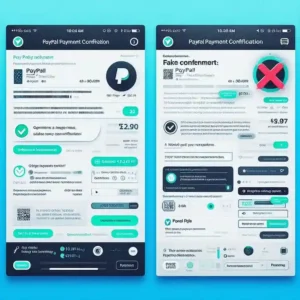
The scammer sends you a screenshot showing they “paid.” But they never actually send money.
The screenshot looks real. PayPal logo. Amount. Transaction ID. Everything.
But it’s fake. Made in Photoshop. Or using a fake PayPal generator.
What real clients do: You receive money in your account BEFORE you deliver work. Not a screenshot. Actual money.
What you should do: Always check your actual account. Not screenshots. Not emails. Log in to PayPal, Upwork, or your bank. See the money there. Then deliver work.
External link: Report fake payment scams to the FTC
4. The Off-Platform Scam (They Want to Trap You)
This scam starts on a legit platform like Upwork or Fiverr.
Then the “client” says, “Let’s talk on WhatsApp. It’s faster.”
Or Telegram. Or email. Or anywhere outside the platform.
Why? Because platforms have protection. Upwork holds your money in escrow. Fiverr has dispute resolution.
Off-platform? You’re alone.
I have a friend who agreed to work outside Upwork. The client paid him $200 upfront via PayPal. Then asked for $500 more work. My friend did it. Then the client disputed the PayPal payment. Said it was “unauthorized.”
PayPal took the money back. My friend lost $500.
What real clients do: They respect platform rules. They understand why escrow protects both sides.
What you should do: Never move communication off-platform until you have a long-term relationship and trust. For the first few projects, stay on the platform.
Internal link: Want to know which platforms are safe? Read my guide on Best Freelancing Tools for Beginners
5. The Overpayment Scam (Too Good to Be True)
This scam is clever.
The “client” sends you a check for $2,000. But your project only costs $500.
They say: “Oops, I overpaid. Can you send back $1,500?”
You sent $1,500. Then their check bounces. The bank takes $2,000 back from your account. You’re now down $1,500.
The same thing happens with PayPal. They send money from a stolen card. You send “refund.” Then the stolen payment gets reversed. You lose everything.
What real clients do: They pay the exact amount. They don’t accidentally overpay by thousands.
What you should do: Never send money back. Tell them to cancel the original payment and send the correct amount. If they can’t, it’s a scam.
6. The Urgency Scam (They Rush You)
Scammers want you to act fast. Before you think. Before you verify.
“Need this today!”
“Can you start in 10 minutes?”
“Payment will come, just send files quickly!”
Why? Because if you slow down, you might catch their lies.
I almost fell for this once. A “client” needed an article in 2 hours. Promised $300. Said payment would come “any minute.”
I started writing. Then I stopped. Asked myself: why the rush? Why can’t they pay first?
I said no. They disappeared.
What real clients do: They plan ahead. They respect your process. They don’t demand instant work from strangers.
What you should do: Slow down. Always. Verify payment before starting. No exceptions.
7. The Incomplete Profile Scam (Red Flags Everywhere)
Before I accept any client, I check three things.
First, their profile. Does it have a real name? A photo? Work history? Completed projects?
Second, their payment history. Have they paid other freelancers? What do their reviews say?
Third, their communication. Is their English broken? Do they avoid video calls? Do they refuse to share their LinkedIn or company website?
Scammers fail on all three.
What real clients do: They have complete profiles. They have payment history. They’re happy to hop on a quick video call.
What you should do: Never work with a client who won’t get on a video call. A 5-minute face-to-face reveals everything.
8. The “Free Trial” Scam (Your Work Has Value)
“Give me a free trial for one week. If I like it, I’ll hire you long-term.”
Sound familiar?
This is how scammers get free work. They promise “long-term opportunities” that never come.
I’ve seen writers get asked for “trial articles.” Designers get asked for “trial logos.” Developers get asked for “trial websites.”
The trial is the whole project. They take your work and disappear.
What real clients do: They pay for trials. Or they accept that the “trial” is paid at a reduced rate. They don’t expect free labor.
What you should do: Never work for free. Not for “exposure.” Not for “experience.” Not for “future opportunities.” Your time has value.
9. How to Find Real Clients (What Actually Works)
Okay, enough about scams. Let’s talk about finding real clients.
Method 1: Freelance Platforms (Start Here)
Upwork, Fiverr, Toptal. These have built-in protection. Use them.
My first real client came from Upwork. $50 for a blog post. Small. But real. They paid. They left a review. That review got me more clients.
Method 2: LinkedIn (For Long-Term Clients)
Create a professional profile. Share your work. Comment on posts in your niche.
I found a client on LinkedIn who’s been with me for 2 years. All because I commented on his post about design trends.
Method 3: Referrals (The Best Clients)
Happy clients bring more clients.
After I finished a project, I asked, “Do you know anyone else who needs help?” That one question brought me 4 more clients.
What you should do: Start on platforms. Build a reputation. Move to LinkedIn. Then let referrals do the work.
Internal link: Need help setting up your freelancing profile? Read How to Start Freelancing from Scratch
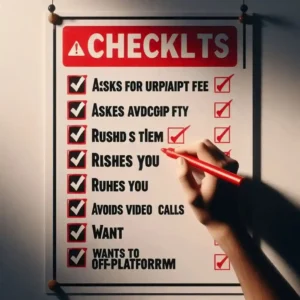
10. Red Flags to Watch For (Print This List)
Before you accept any project, check for these warning signs.
| Red Flag | What It Looks Like |
|---|---|
| Asks for an upfront fee | “Pay $50 to register.” |
| Rushes you | “Need this TODAY” |
| Avoids video calls | “Camera not working.” |
| Sends a fake payment screenshot | “Check your spam folder.” |
| Wants to go off-platform | “Let’s talk on WhatsApp.” |
| No profile/history | Brand new account |
| Grammatical errors | Poor English, urgent tone |
| Overpays “by accident.” | “Send back the extra.” |
| Free trial request | “Just a small sample” |
If you see TWO or more of these, walk away.
What I Learned From Losing $500
That $500 loss hurt.
I was angry at myself for weeks. Angry at the scammer. Angry at the world.
But now? I’m grateful it happened early. Before I had big projects. Before I had family depending on my income.
That loss taught me to verify everything. To slow down. To trust my gut.
And honestly? It made me a better freelancer. Because now I know how to spot scams from a mile away.
You don’t have to lose money to learn this lesson. You can learn from mine.
FAQ
Can I get my money back if I was scammed?
Sometimes. If you paid via credit card, call your bank. If you used PayPal, open a dispute. But prevention is better than cure.
Is Upwork/Fiverr safe from scams?
Safer than working off-platform. But scams still exist. Always verify clients. Never move off-platform too early.
How do I verify a client is real?
Video call. LinkedIn profile. Company website. Past reviews. If they refuse all four, they’re probably fake.
What’s the safest payment method?
Escrow through platforms. Then bank transfer. Then PayPal Goods & Services (not Friends & Family). Never take checks from strangers.
Final Thoughts
I lost $500 to a fake payment screenshot.
I felt stupid. Embarrassed. Angry.
But that mistake made me who I am today. A freelancer who verifies everything. Who trusts but confirms. Who doesn’t rush.
You don’t have to make the same mistake.
Print the red flags list. Keep it near your desk. Review it before every project.
The scams aren’t going away. But you can learn to see them coming.
Stay safe out there. And don’t trust payment screenshots.
More from Mag Tech Hub
I Downloaded My Facebook Data – magtechhub.com/downloaded-facebook-data
How I Learned Linux in 3 Months – magtechhub.com/learned-linux-in-3-months
10 Phone Tricks You Never Knew – magtechhub.com/10-phone-tricks-never-knew
That Time I Lost 40 Hours of Work – magtechhub.com/lost-40-hours-work-recovered-files
$0 to $1,200: 7 Freelancing Tools – magtechhub.com/0-to-1200-7-freelancing-tools