
Is Your Phone Listening? 7 Privacy Fixes
I Thought My Phone Was Listening to Me. Then I Found Out the Truth.
That creepy feeling when an ad appears right after you talk about something? Yeah, I had it too. Here’s what’s actually happening — and how to stop it.
Let me tell you something that freaked me out last month.
I was at a friend’s place. We were talking about buying a new sofa. Just talking. No phone searches. No Google. No typing.
Two hours later, I opened Instagram.
First ad? Sofas.
My heart stopped.
I looked at my phone. Then at my friend. Then back at my phone.
“Is this thing listening to me?” I asked.
My friend laughed. “Probably.”
But I couldn’t laugh. It felt wrong. Creepy. Like someone was watching me through my own device.
So I decided to find out the truth. I spent weeks researching. I read privacy reports from the NIST Privacy Engineering Program and resources from the National Cybersecurity Alliance. I talked to a cybersecurity friend. I tested my own phone.
Here’s what I learned. And I promise — by the end of this, you’ll understand exactly what’s happening and how to protect yourself.
Part 1: The Creepy Ad Story That Started My Paranoia
Let me back up a bit.
Before the sofa incident, I didn’t think much about phone privacy. I clicked “allow” on every app permission. Who cares, right?
Then the sofa ad appeared.
Same thing happened again two weeks later. I mentioned “new headphones” to a colleague. Didn’t search for it. Didn’t type it. Just said it out loud.
That evening? Headphone ads on every app.
I felt watched.
But here’s the truth I discovered after all my research: My phone probably wasn’t listening. Something else was happening. Something smarter. And actually scarier in a different way.
Let me explain.
Part 2: What “Spying” Actually Means (And What It Doesn’t)
When most people say “my phone is spying on me,” they imagine:
A person at a desk is listening to your calls
Your microphone is secretly recording everything
Someone is watching through your camera
That’s not how it works. That’s movie stuff.
Real data collection is boring. But it’s also everywhere. According to the IEEE Standards Association , “the collection, control, and ownership of personal data today are largely controlled by the providers of products and services, not by the individuals who use them.”
Here’s what actually happens:
Your phone collects data. Yes. But not the way you think. Apps track what you search, what you watch, how long you look at things, where you go.
Companies analyze patterns. They don’t care that you talked about sofas. They care that you searched for “living room ideas” two weeks ago, visited IKEA’s website, and watched a home decor video on YouTube.
Algorithms make guesses. Really good guesses. So good that it feels like mind-reading.
That sofa ad? I had searched for “small apartment furniture” a month earlier. I had watched a room makeover video. The algorithm connected the dots. Not my microphone.
Creepy? Still yes. But different creepy.

Part 3: How Your Phone Actually Collects Data (Step by Step)
Let me break this down simply.
3.1 App Permissions – The #1 Culprit
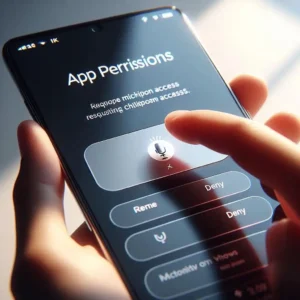
Remember when you installed that game and it asked for access to your microphone? And you clicked “allow” without thinking?
That’s how apps listen.
Not all apps need microphone access. A calculator app doesn’t need your location. A flashlight app doesn’t need your contacts.
But they ask anyway. And we say yes.
What I did: I went through my phone and removed microphone access from every app except Zoom and WhatsApp. Games? No. Shopping apps? No. Random tools? No.
Result: Fewer creepy ads. And peace of mind.
3.2 Location Tracking – You’re Carrying a Tracker
Your phone knows where you are. Always.
GPS. Wi-Fi networks. Cell towers.
The National Cybersecurity Alliance recommends disabling location services for apps that don’t genuinely need it, especially while traveling.
I realized that every time I passed a store, I’d see ads for it later. Not because my phone heard me. Because my phone knew I was near that store.
What I did: Turned off location for all apps except Maps. Even then, I set it to “only while using the app.”
3.3 Online Activity – Your Clicks Tell Stories
Every search. Every video view. Every like.
It all gets recorded.
I tested this. I searched for “best coffee maker” on Google. Didn’t click any ads. Just searched.
For the next three days, every app showed me coffee maker ads.
No microphone. Just my search history.
What I did: Started using private browsing. Not perfect, but better. Also cleared my search history weekly.
3.4 Voice Assistants – The Wake Word Myth
Here’s something most people don’t understand.
Your phone IS listening for the wake word (“Hey Google” or “Hey Siri”). But it’s listening locally. On your phone. Not sending audio to the cloud until it hears the wake word.
Does it accidentally activate sometimes? Yes.
Does it record your private conversations? No. There’s no evidence of that.
But if you’re still worried, turn off “Hey Google” or “Hey Siri.” I did. I use a voice assistant manually now.

Part 4: The Real Privacy Risks (Not What You Think)
The sofa ad wasn’t a real risk. It was just annoying.
Real risks are different.
4.1 Malicious Apps
Some apps are fake. They pretend to be games or tools, but they steal your data.
Real story: A friend downloaded a “free wallpaper” app. It asked for permission to access his contacts. Why does a wallpaper app need contacts? It doesn’t. He uninstalled immediately.
The FTC warns that apps can collect far more data than users realize, which is why reviewing permissions is critical.
What you should do: Only install from official app stores. Read permissions before clicking “allow.”
4.2 Data Breaches
Companies get hacked. Your data gets stolen.
Happened to me last year. Someone got my email and password from a breached site.
What you should do: Use different passwords for different sites. Use a password manager (I use Bitwarden, it’s free). And turn on two-factor authentication everywhere you can.
4.3 Public Wi-Fi
Free airport Wi-Fi? Hotel internet? Coffee shop networks?
Anyone on the same network can potentially see what you’re doing.
The National Cybersecurity Alliance recommends avoiding sensitive activities like banking on public Wi-Fi and using a VPN for a more secure connection.
What you should do: Never do banking on public Wi-Fi. Use a VPN if you travel often.
Part 5: Signs Your Phone Might Actually Be Compromised
These are rare. But they happen.
| Sign | What It Could Mean |
|---|---|
| The battery drains in 3 hours | App running in the background |
| Phone gets hot when idle | Malicious process |
| Unknown apps appear | Someone installed something |
| Pop-up ads everywhere | Adware |
| Strange texts from your number | Account compromised |
If you see these, run a security scan. Change your passwords. Factory reset if needed.
The European Youth Portal also provides resources for reporting online abuse and getting help if you think you’ve been targeted.
Part 6: 10 Simple Steps to Protect Your Privacy (Do These Today)
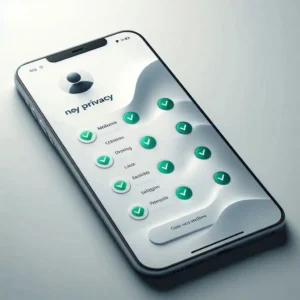
You don’t need to be a tech expert. Just do these 10 things.
1. Review App Permissions Right Now
Go to settings → Apps → Permissions. Remove microphone, camera, and location access from apps that don’t need them.
2. Turn Off Ad Personalization
On Android: Settings → Google → Ads → Opt out.
On iPhone: Settings → Privacy → Apple Advertising → Turn off.
3. Disable Voice Assistant Wake Word
Turn off “Hey Google” or “Hey Siri.” Use the button instead.
4. Use a VPN on Public Wi-Fi
Free options like ProtonVPN work fine for beginners.
5. Clear Your Search History Weekly
Google stores everything. Delete it regularly.
6. Use Strong Passwords and Two-Factor Authentication
Not “password123.” The FTC strongly recommends using two-factor authentication on all your important accounts — it adds a second lock to your digital door.
7. Turn Off Location for Most Apps
Maps only. Everything else? Off.
8. Update Your Phone
Those updates fix security holes. Don’t ignore them. The National Cybersecurity Alliance recommends enabling automatic updates so you always have the latest protection.
9. Uninstall Unused Apps
Every app is a potential risk. Delete what you don’t use. The National Cybersecurity Alliance calls these “ghost accounts” — old accounts you forgot about that still hold your data.
10. Cover Your Camera (Optional but Cheap)
A simple sticker over your front camera. Costs nothing. Peace of mind.
Part 7: What I Changed After Learning All This
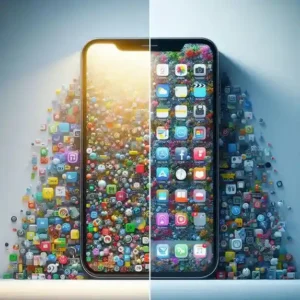
Before my research, I was careless.
After?
47 apps on my phone → deleted 23
Microphone access → 15 apps → now only 2
Location access → 12 apps → now only 1 (Maps)
Voice assistant → always on → now off
Passwords → repeated everywhere → now unique using Bitwarden
Two-factor authentication → turned on for email, banking, and social media
It took me one evening. Now I sleep better.
Part 8: Teaching Kids About Phone Privacy (Simple Rules)
If you have younger siblings or kids who use phones, tell them this, as recommended by the FTC :
Don’t share your location with strangers
Ask an adult before installing apps
Never give personal information to unknown apps
Tell someone if an app asks for something weird
Never share passwords — not even with friends
Think before you post — once it’s online, you can’t take it back
These simple rules prevent most problems.
Part 9: What Companies Don’t Want You to Know
Here’s the uncomfortable truth.
Companies make money from your data. Not from selling your data directly. From using your data to show you ads.
Google and Facebook are free because YOU are the product. Your attention. Your clicks. Your time.
That’s not illegal. It’s not even “spying” in the traditional sense.
The IEEE Standards Association notes that “if users don’t trust how a system will use and protect their identities and data, they will try to avoid or minimize using it.” That’s why new privacy standards like IEEE 7012 are being developed — to let individuals express their privacy preferences in a way machines can read and respect.
But it’s something you should know. So you can make informed choices.
Part 10: The Future of Phone Privacy
Good news: Things are improving.
Apple and Google are adding more privacy controls
Laws in Europe and California are forcing transparency
More people are becoming aware
Bad news: Tracking is getting smarter too.
The solution? Stay informed. Review settings regularly. And don’t panic — just take control.
According to the NIST Privacy Engineering Program, data privacy is about giving individuals agency over their personal information — and that’s exactly what these new tools and laws are designed to do.
FAQ – Real Questions People Asked Me
Can my employer see what I do on my personal phone?
Only if you installed their software or joined their Wi-Fi. Otherwise, no.
Should I cover my camera?
It’s cheap. It doesn’t hurt. I do.
Are free VPNs safe?
Some are. Some aren’t. ProtonVPN is trustworthy. Avoid completely unknown ones.
How often should I check permissions?
Once a month. Takes 5 minutes.
Is it safe to use banking apps on my phone?
Yes. Banking apps are usually very secure. Just don’t use them on public Wi-Fi.
What’s the most important thing I can do today?
Turn on two-factor authentication for your email and bank accounts. The FTC calls it the single most effective way to protect your accounts from hackers.
Final Thoughts
Remember the sofa ad that freaked me out?
Now I understand what happened. It wasn’t my phone listening. It was my search history, my location data, my watching habits — all connected by algorithms that are scarily good at predicting what I want.
Does that still feel creepy? A little.
But now I know how to control it.
You can too.
Review your permissions today. Turn off what you don’t need. Update your passwords. Turn on two-factor authentication.
It takes 20 minutes. And it changes everything.
Your phone is a tool. Not a spy. Use it wisely.
More from Mag Tech Hub
How to Start a Tech YouTube Channel in 2026 – magtechhub.com/how-to-start-tech-youtube-channel-2026/
Honest Facebook Earnings: What Actually Works – magtechhub.com/honest-facebook-earnings-what-actually-works/
10 TikTok Ideas That Actually Got Views – magtechhub.com/10-tiktok-ideas-that-actually-got-views/
What Your Life Will Look Like in 2036 – magtechhub.com/future-of-technology-next-10-years/
What is Freelancing? Top High-Paying Skills in 2026 – magtechhub.com/what-is-freelancing-top-high-paying-skills-in-2026/
$0 to $1,200: 7 Freelancing Tools – magtechhub.com/0-to-1200-7-freelancing-tools/