

Don’t Start Freelancing Without These 7 Tools
My second month? $1,200. The difference wasn’t skill. It was knowing which tools actually help.
After “I’m going to be honest with you
I’m going to be honest with you.
When I started freelancing, I thought I was ready.
I had learned SEO. I practiced writing every day. I watched hours of YouTube tutorials.
I felt confident.
Then reality hit me like a truck.

First month: zero clients. Zero dollars. Zero replies to my proposals.
I sat in my room, staring at my laptop, wondering what I was doing wrong.
My problem wasn’t my skill. My problem was I had no system. No organization. No clue how to work like a professional.
I was just… guessing.
So I started testing tools. Lots of them. Some were amazing. Some were complete garbage. Some made me cry out of frustration.
After months of trial and error, I found 7 tools that actually helped me go from zero to earning.
This isn’t a list of “top 50 tools for freelancers” written by some blog. This is what actually worked for me. A real person. With real struggles.
Tool #1: Zoom – Where I Got My First Yes
I remember my first client call.
My hands were shaking. No joke. I had never done a professional video call before.
I set up Zoom. Sent the link. Paced around my room until the call started.
The client asked me questions. I answered. My voice cracked once. I laughed it off.
At the end of the call, he said “okay, let’s try one project.”
I almost cried.
Why I still use Zoom: It’s free for 40 minutes. Most calls don’t need more than that. Clients don’t need an account. They just click the link and join.
What I learned: You don’t need fancy equipment. I used my laptop camera and cheap earphones. The client didn’t care. He cared that I showed up on time and answered his questions.

Link: zoom.us
Tool #2: Trello – The Reason I Stopped Missing Deadlines
Before Trello, I was a mess.
I kept everything in my head. Client requirements. Deadlines. File names. Passwords.
Guess what happened?
I forgot stuff. A lot.
One time, I missed a deadline by two days. The client was nice about it. But I felt terrible. Unprofessional. Like a failure.
Then a friend showed me Trello.
It’s just digital sticky notes. You make lists. You move cards. That’s it.
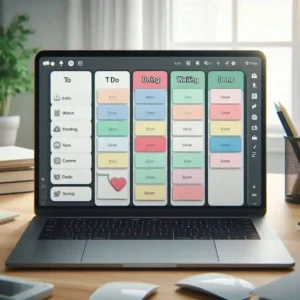
Here’s what my Trello looks like right now:
First list: “To Do This Week”
Second list: “Working On Right Now”
Third list: “Waiting for Client Reply”
Fourth list: “Done”
Every morning, I open Trello. I see exactly what I need to do. No stress. No guessing.
I haven’t missed a deadline since.
Link: trello.com
Tool #3: Clockify – I Was Giving Away Free Work Without Knowing It
For my first two months, I didn’t track my time.
Big mistake.
I would start working at 9 AM. Then check my phone. Then reply to emails. Then watch a YouTube video. Then work a little. Then eat lunch.
At the end of the day, I felt like I worked 8 hours.
But I only did about 3 hours of actual client work.
The rest were distractions.
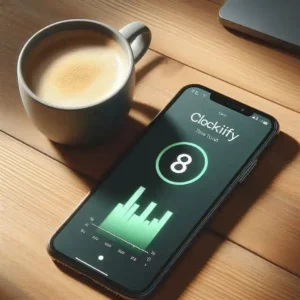
Then I found Clockify. It’s completely free. No limits.
I started tracking every single minute. I realized I was spending 40% of my day on email and social media.
That’s not billable. That’s just wasting time.
So I changed my routine. Now I check email only twice a day. Morning and evening. The rest of the day? Clockify is running. I’m working.
My billable hours doubled. Without working more hours. Just working smarter.
Link: clockify.me
Tool #4: Canva—I’m Not a Designer But My Proposals Look Like I Am
I cannot draw. I cannot use Photoshop. I have zero design talent.
But my proposals look professional.
How? Canva.
Before Canva, I sent clients plain Word documents. Boring. Ugly. Embarrassing.
One client told me later: “Your proposal looked so bad, I almost didn’t read it.”
Ouch.
So I learned Canva. It took me one afternoon.
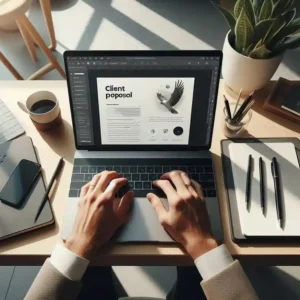
Now I have templates. Client proposals. Portfolio pages. Social media graphics. Everything.
One client said, “This looks like an agency sent it.”
That was Canva. Not me. I still can’t design. But Canva makes me look like I can.
Link: canva.com
Tool #5: Google Drive—Where I Keep Everything So I Don’t Lose Anything
I used to save everything on my desktop.
Bad idea.
My laptop crashed once. I lost three client projects. I wanted to die.
Now everything goes into Google Drive.
Every client has their own folder. Inside that folder: contracts, project files, invoices, and final deliverables.
I can access it from my phone, my laptop, or any computer in the world.
No more “oh no, I left that file at home.”
No more “my computer died and I lost everything.”
Just organized folders. Peace of mind.

Link: drive.google.com
Tool #6: Upwork – Where I Found My First Paying Client
I hated Upwork at first.
I applied to 20 jobs. Zero replies. Zero.
I thought the platform was broken. Or maybe I was just bad.
Then I changed my approach.
I stopped copying and pasting proposals. I started writing personalized messages.
Instead of “Hi, I can do this job” I wrote:
“I saw you need help with [specific thing]. I noticed [something specific about their project]. Here’s how I would solve it…”
That got me my first reply. Then my first interview. Then my first client.
$100 for a blog post.
I remember staring at the notification. Someone paid me. To write. From the internet.
That feeling? Nothing like it.

Link: upwork.com
Tool #7: Wise – Getting Paid Without Losing Half My Money
My first international payment was $500.
I used PayPal. They took $25 in fees. Ouch.
Then a friend told me about Wise.
Same $500 payment. Wise took $10 in fees.
That’s $15 more in my pocket. For doing nothing different.
Now I use Wise for all international clients. PayPal is only for small payments or when a client insists.

Link: wise.com
My Exact Setup (Copy This If You Want)
You don’t need 50 tools. You need a few that work together.
Here’s what I use every single day:
Morning (20 minutes):
Open Trello. See what needs to be done.
Reply to client messages.
Deep work (3-4 hours):
Start Clockify.
Close all other tabs.
Work on one task. No distractions.
Client calls (as needed):
Zoom link sent one day before.
Camera on. Smile. Be honest.
End of day (15 minutes):
Upload files to Google Drive.
Update Trello (move done tasks to “Completed”).
Stop Clockify. See how many hours I worked.
That’s it. Nothing complicated.

Tools I Tried That Were a Waste of Time
Not every tool is helpful. Here are some I wasted time on:
Too complicated: Asana. It’s powerful but overkill for a beginner. Trello is simpler.
Too expensive: Monday.com. Starts at $8/month. Not worth it when Trello is free.
Too distracting: Notion. Amazing tool but easy to spend hours “organizing” instead of working.
My advice? Start simple. Add tools only when you actually need them.

What I Learned After One Year of Freelancing
Skills get you in the door. Tools help you stay there.
You can be the best writer in the world. But if you miss deadlines, lose files, and never reply to emails, clients won’t stick around.
Reliability. Organization. Clear communication.
The tools just help you show those things.
Your Turn Now
I remember being exactly where you are.
Confused. Overwhelmed. Not sure which tool to pick.
Here’s what I wish someone told me:
Pick three tools. Just three.
For me, it was Trello + Google Drive + Clockify.
Use them for 30 days. Every single day.
See what happens.
You don’t need 50 tools. You need consistency with a few.
My first month freelancing, I made $0.
My second month, I made $1,200.
The difference wasn’t talent. It was systems.
Your turn to build yours.
FAQ – Stuff I Actually Get Asked
Do I need to pay for these tools?
No. Free versions are enough for beginners. I still use free versions.
Can I use a phone instead of a laptop?
You can. But a laptop makes everything easier. Faster typing. Better multitasking.
How long does it take to learn these tools?
Trello: 10 minutes. Clockify: 5 minutes. Canva: one afternoon. Google Drive: you already know it.
What if I can’t afford any tools?
All the tools I mentioned have free plans. Zero cost.
Which tool should I learn first?
Trello. Get organized first. Everything else comes after.
Final Thoughts
I wrote this guide because I wish someone had written it for me.
When I started, I was lost. I didn’t know which tools to trust. I wasted money on tools I didn’t need. I wasted hours on tools that didn’t help.
Don’t be me.
Start with Trello. Add Clockify. Use Google Drive.
That’s enough for month one.
Then add Zoom when you get client calls.
Then add Canva when you need proposals.
Then add Upwork when you need clients.
Then add Wise when you get international payments.
One tool at a time. That’s how you grow.
Not by installing 20 tools in one day and getting overwhelmed.
Slow. Steady. Consistent.
That’s what worked for me.
That’s what will work for you.
Now go open Trello. Make your first list.
Your freelancing career starts today.
More from Mag Tech Hub
How to Start a Tech YouTube Channel in 2026 – magtechhub.com/how-to-start-tech-youtube-channel-2026/
Honest Facebook Earnings: What Actually Works – magtechhub.com/honest-facebook-earnings-what-actually-works/
10 TikTok Ideas That Actually Got Views – magtechhub.com/10-tiktok-ideas-that-actually-got-views/
What Your Life Will Look Like in 2036 – magtechhub.com/future-of-technology-next-10-years/
What is freelancing? Top High-Paying Skills in 2026 – magtechhub.com/what-is-freelancing-top-high-paying-skills-in-2026/