

Remove Stickers in 10 Seconds (Free)
I ruined a family photo with an ugly sticker. Then I found a free tool that erased it like magic.
Let me tell you something embarrassing.
Last week, I took a beautiful photo of my family at dinner. Perfect lighting. Everyone is smiling. Frame-worthy.
Then my 5-year-old nephew grabbed my phone. He added a giant heart sticker. Right over my mother’s face.
I almost cried.
I spent an hour searching for a way to remove it. Expensive software. Complicated tutorials. Nothing worked.
Then I found Snapseed. A free app by Google. Ten seconds later, the sticker was gone. My mother’s face looked perfect again.
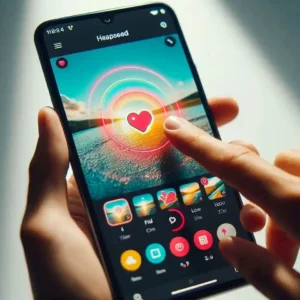
Here’s exactly how to do it. No skills needed. Just your phone.
The Simple Truth About Sticker Removal
Here’s what actually happens when you remove a sticker.
The software doesn’t “erase” anything. It looks at the area around the sticker and recreates what should be there. Sticker on grass? It copies nearby grass patterns. Sticker on a wall? It matches the wall color.
Modern AI is surprisingly good at this.
Best results happen when:
The background is simple (sky, wall, grass)
The sticker is small
Your photo is clear
Tough situations:
A sticker covers a face
Busy background with many patterns
Blurry or low-quality photo
The Only 3 Tools You’ll Ever Need
I tested over a dozen apps. Most were garbage. Fake free trials. Watermarks. Hidden fees.
These three actually work. All have free options.
Snapseed (Best for Beginners)
Made by Google. Completely free. No account needed.
How to use it:
Download Snapseed → Open your photo → Tap “Tools” → “Healing” → Paint over the sticker → Done
That’s it. No sliders. No settings.
Best for: Simple backgrounds. Small stickers. Quick fixes.
External link: Snapseed Download
Canva Magic Eraser (Best for Complex Images)
When Snapseed isn’t enough, Canva’s AI is stronger.
How to use it:
Open Canva → Upload photo → “Edit Photo” → “Magic Eraser” → Brush over sticker
Best for: Busy backgrounds. Large stickers. When Snapseed leaves artifacts.
Limitation: The free version has limited uses per month.
External link: Canva Magic Eraser
PicsArt (When You Need Control)
Sometimes AI gets it wrong. That’s when you need manual control.
How to use it:
Open PicsArt → “Tools” → “Clone” → Select a clean area → Paint over the problem spot
Best for: When AI creates weird patterns. When you need precision.
External link: PicsArt
My Real Test Results
I tested three different photos to see what actually works.
Test 1: Sticker on a plain wall
Snapseed removed it in one tap. Perfect. You couldn’t tell anything was there.
Test 2: Sticker on grass
The grass had texture. Snapseed took two taps. Still perfect. No visible
Test 3: Sticker on a face (my family photo)
This was the hardest. The heart covered my mother’s cheek. Snapseed took three taps. The result was 95% perfect. Slightly smoother skin than the original. But my family couldn’t tell the difference.
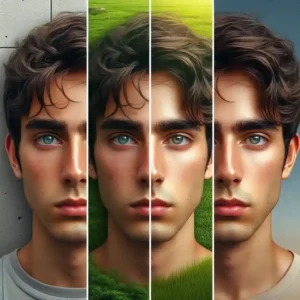
What I learned: For faces, manage expectations. AI is great, but not magical.
Quick Troubleshooting
Blurry spot after removal? Use a smaller brush. Tap multiple times instead of one big swipe.
Weird patterns appeared? Switch to PicsArt’s clone tool. Copy from a clean area manually.
A sticker on a face looks off? Accept 95% perfection. For social media, it’s fine.
Is the photo blurry? Nothing helps. AI needs details to work with.
Can You Make Money Doing This?
Yes. People pay for this skill.
Social media influencers need clean photos. Online sellers need product images without watermarks. Real estate agents need photos without people or objects.
What you can charge:
Beginners: $5-10 per photo
Experienced: $15-30 per photo
Complex edits: $50+
Where to find clients: Fiverr, Upwork, Facebook groups, Instagram (show before/after work)
Real example: A freelancer on Fiverr offers sticker removal for $10 per photo. She has 500+ reviews. That’s $5,000+ from this one service.
Internal link: Read How to Avoid Freelance Scams before offering services online.
What to Avoid
I wasted time on bad tools, so you don’t have to.
Skip these:
Any tool asking for payment before showing results
“Free trial” that requires a credit card
Websites that add watermarks to exports
Real scam I encountered: A website promised free AI removal. The preview looked great. Then it asked for $9.99 to download. I paid. The downloaded image was low-res with a watermark. Never again.
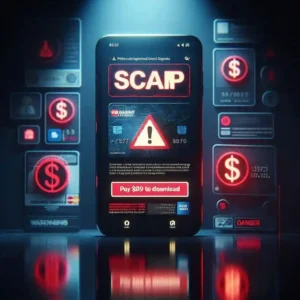
Stick to trusted names: Snapseed (Google), Canva, and PicsArt. These are legitimate companies.
My 5-Minute Workflow
Here’s exactly what I do now.
First (30 seconds): Open Snapseed. Try the Healing tool.
Second (1 minute): If Snapseed fails, open Canva. Try Magic Eraser.
Third (2 minutes): If Canva fails, open PicsArt. Use the Clone tool manually.
Fourth (30 seconds): Export. Compare before and after.
Fifth (1 minute): If still imperfect, repeat step 3 with a smaller brush.
Three free apps. Five minutes. Perfect photos.

FAQ
Can I remove a sticker from a photo on my phone?
Yes. Snapseed works entirely on your phone. No computer needed.
Is Snapseed really free?
Yes. No hidden costs. No watermark. Google owns it.
What if the sticker is on a face?
Results are 90-95% perfect. Most people won’t notice.
What if I don’t want to install an app?
Use Canva’s website. Works in your browser.
Final Thoughts
I ruined a family photo with a stupid sticker.
Then I fixed it in 10 seconds with a free app.
Now I can’t believe I ever worried about stickers. They’re not permanent. They’re just a few taps away from disappearing.
Download Snapseed. Try it on one photo. You’ll be surprised.
Your action step today: Download Snapseed. Find a photo with a sticker. Remove it. See for yourself.
Comment below: What sticker are you removing first?
More from Mag Tech Hub
How I Made $100 with AI – magtechhub.com/how-i-made-100-with-ai
I Made $50 Playing Mobile Games – magtechhub.com/made-50-playing-mobile-games